Control4 Outdoor TV Integration: Multiview Automation for Your YOLO TV
Connect Control4, Savant, or Crestron to your YOLO TV for single-touch multiview quad-screen layouts, custom audio routing, and one-tap game-day scenes.
In This Guide
- 01.Why Integrate Smart Automation with Your YOLO TV?
- 02.What Multiview Actually Does for a Backyard Watch Party
- 03.Complete Multiview Flexibility on Any Scale
- 04.Compatible with All Leading Home Automation Platforms
- 05.How Integration Is Planned and Installed
- 06.System Hardware and Weather Specs
- 07.Frequently Asked Questions
When building a high-end outdoor theater or backyard sports sanctuary, choosing a large outdoor screen is only half the battle. The real magic lies in how easily you can control what you are watching. While YOLO TV displays offer state-of-the-art multiview capabilities, integrating your screen with a home automation system turns complex multi-game management into a smooth, single-touch experience.
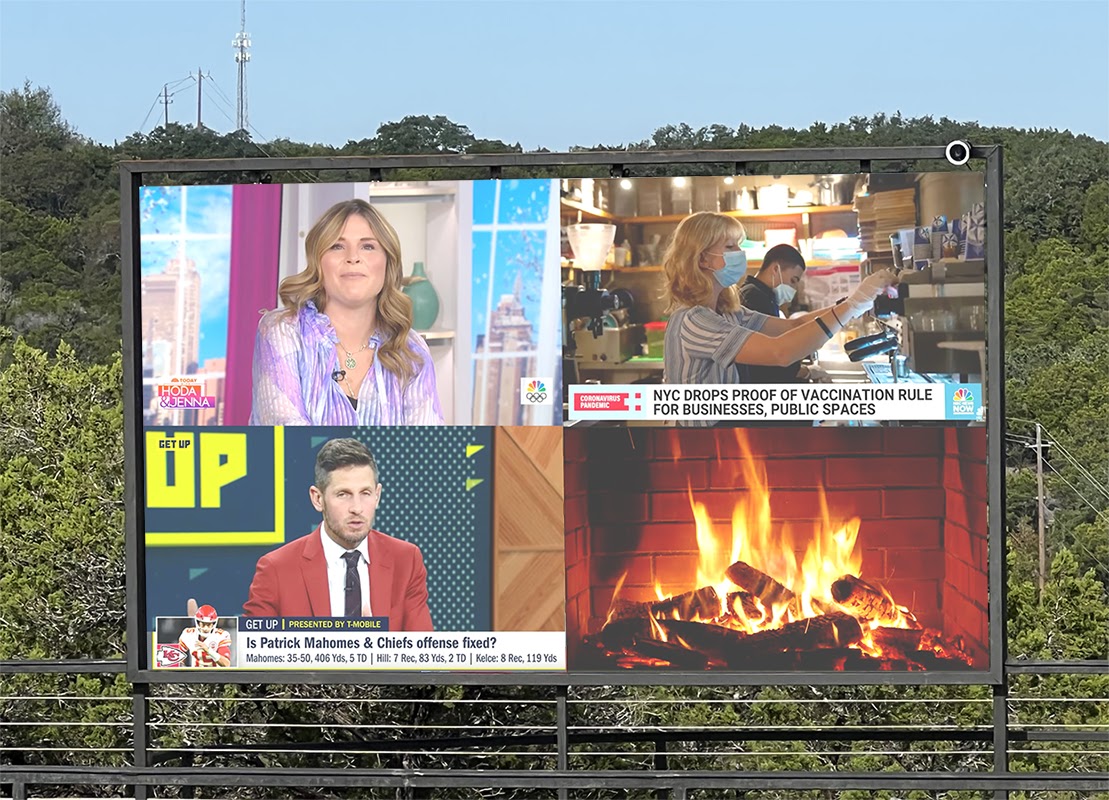
Demonstrating Control4 video matrix switching directly from a smartphone on a custom YOLO TV.
Why Integrate Smart Automation with Your YOLO TV?
When hosting family and friends, nobody wants to fumble through multiple remotes, toggle complex AV receivers, or navigate confusing matrix switcher menus. Custom automation simplifies your outdoor viewing system down to an intuitive app on your mobile device.
The core value is control consolidation. A YOLO TV running a multiview layout without automation still requires you to manage the video processor, the source switcher, and the audio system as separate devices. Automation folds all of that into a single interface, and, more importantly, into a single tap that can fire a whole sequence of commands at once.
| Traditional Outdoor Setup | Smart Automation Way |
|---|---|
| 3–4 separate remotes for TV, receiver, and cable boxes | 1 tap on your smartphone or custom remote |
| Manual input switching and processor recalibration | Instant layout presets (Game Day, Pool Party) |
| Confusing audio routing between secondary feeds | Tap any feed to hear main audio on patio speakers |
| One source at a time | Up to 5 live feeds in a single multiview layout |
- One-Tap Scene Management: Program Game Day routines that turn on the YOLO TV, adjust audio levels across outdoor speakers, and set the default display layout instantly.
- Effortless Multiview Navigation: Switch between quad views, side-by-side splits, or full single-screen modes without manual recalibration.
- Precise Outdoor Audio Routing: Tap any feed on your smartphone interface to instantly bring its audio through your primary patio speakers while keeping secondary games muted.
What Multiview Actually Does for a Backyard Watch Party
Multiview is the feature that separates a backyard TV from a backyard sports sanctuary. During football season, four games can be on at once, and a multiview layout puts all of them on the screen simultaneously, each in its own window, with the audio following whichever feed you select.
This is what makes a 158-inch or larger screen genuinely useful for a crowd. A single-game, full-screen layout serves one group at a time. A multiview layout serves everyone at the party at once. The guest following one game watches their window. The guest following another watches theirs. The host taps the window they care about and the audio switches instantly.
Without automation, switching layouts means walking to the processor and reconfiguring the video matrix manually. With Control4 or Savant, the same action is one tap on a phone, which means a host can change the layout from across the pool without leaving their seat.
Complete Multiview Flexibility on Any Scale
Whether anchoring a patio with a 158" model or engineering an architectural showcase with a 273" giant display, YOLO TV adapts to your exact layout needs. The commercial-grade video processor that drives the multiview is the same class of hardware used in stadiums and broadcast control rooms, not a consumer TV chip repurposed for outdoor use.
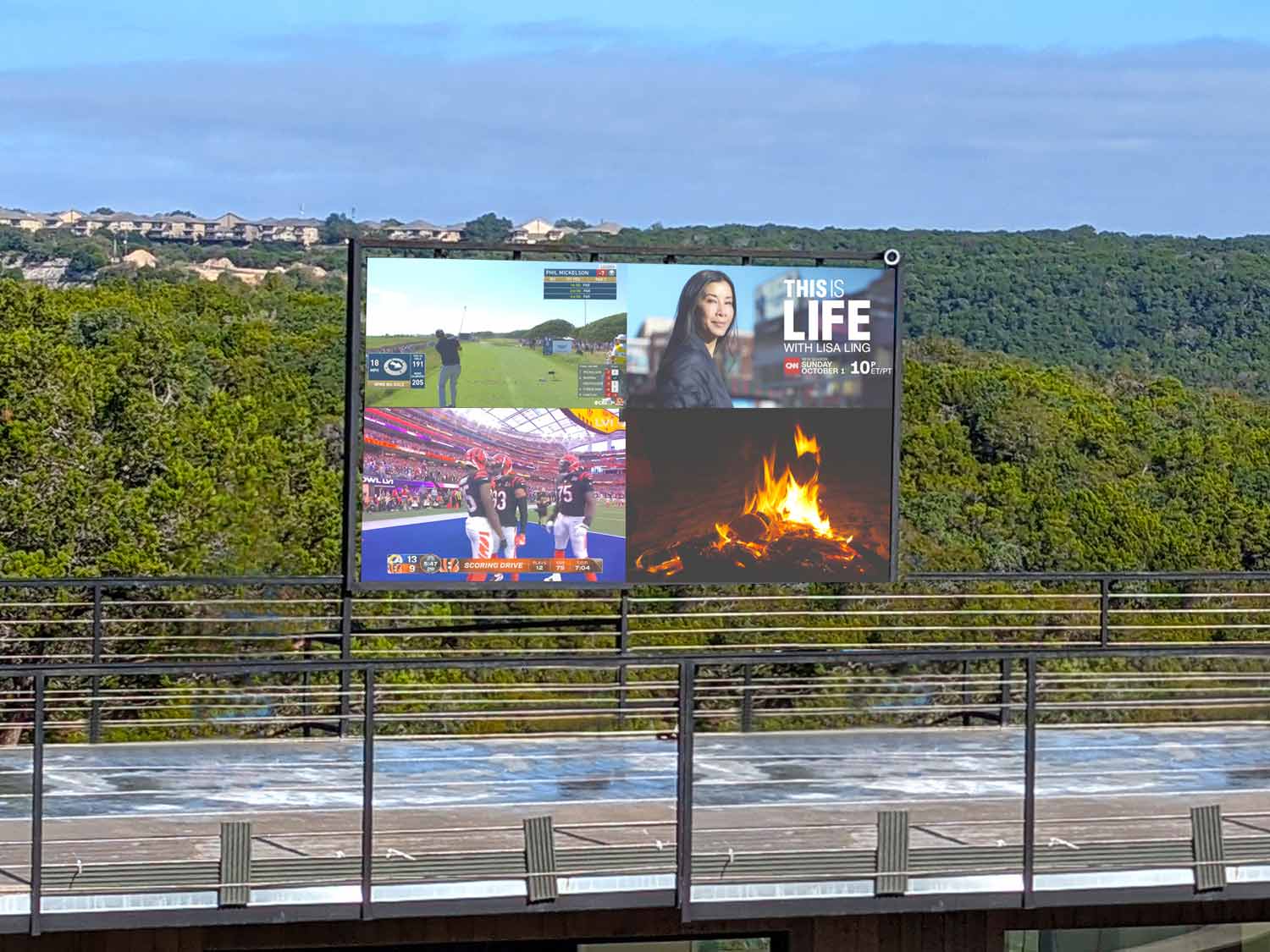
A 273" YOLO TV transitioning seamlessly from an ultra-wide single video into multi-window split layouts.
The processor supports several layout patterns, each suited to a different kind of gathering:
- Quad View: Four equal windows, ideal for a full slate of Sunday games or a multi-camera watch of a single event.
- Side-by-Side Split: Two large windows, useful when the group is split between two marquee games.
- Picture-in-Picture: A primary feed with a smaller secondary window for a game or stats overlay.
- Full Screen: A single feed at maximum size for the main event or a movie night.
Each layout can be saved as a preset inside the automation platform, so switching is a one-tap action rather than a manual reconfiguration every time.
Compatible with All Leading Home Automation Platforms
While Control4 is a popular choice for custom outdoor entertainment, YOLO TV processors are built on open AV architecture. We work directly with custom integrators across all major smart home platforms:
- Savant: Clean UI integration for luxury media matrixing and audio distribution.
- Crestron and Crestron Home: Enterprise-grade control for ultra-high-end residential estates.
- Josh.ai: Natural language voice control to change multiview layouts hands-free.
- WyreStorm: Low-latency AV over IP matrix switching.
The open architecture matters because it means the display is not locked to a single control ecosystem. A homeowner who already lives in Savant, Crestron, or Josh.ai does not have to change platforms to add a YOLO TV, the integrator programs the display as another endpoint in the existing system.
 Savant Mobile Interface Control
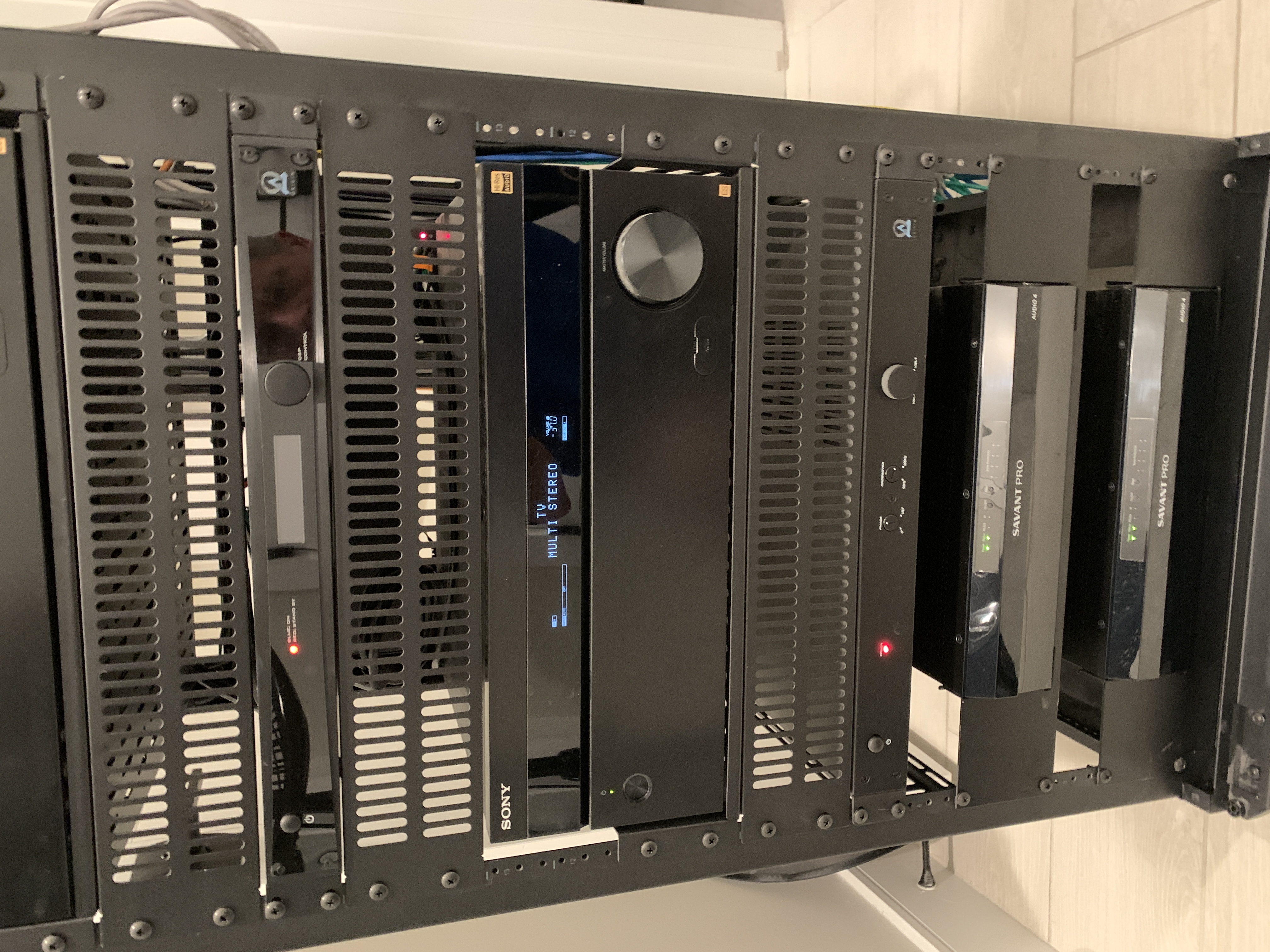
 Custom AV Media Rack
How Integration Is Planned and Installed
The integration is not a consumer plug-and-play step. It is engineered during the design phase alongside the display itself. The video processor, the AV matrix, the source devices, and the automation controller all have to be specified together so that the control programming can address each device correctly.
For a new build or a backyard remodel, this is straightforward, the integrator wires the media rack, programs the automation platform, and tests every layout before the patio is finished. For a retrofit, the integrator evaluates the existing AV distribution and determines whether the current matrix switcher can drive the YOLO TV processor or whether an upgrade is needed.
The most common planning decisions are:
- Source location: Where the cable boxes, streamers, and satellite receivers live, in a protected indoor rack or a weather-sealed outdoor enclosure near the display.
- Signal transport: How the sources reach the processor over long runs, fiber, HDBaseT, or AV over IP, depending on distance and the automation platform.
- Audio zoning: How many independent speaker zones the patio needs, and which feed's audio routes to which zone.
- Control interface: Whether the household prefers a phone app, a dedicated touch panel, voice control, or a combination.
System Hardware and Weather Specs
The automation integration does not change the engineering standard of the display itself. The same specifications that make a YOLO TV readable in direct sun and survivable through a storm apply regardless of the control platform.
YOLO TV outdoor displays are engineered specifically for demanding outdoor environments. Our standard outdoor systems deliver approximately 6,000 nits of brightness, with configurations available from 4,000 to 7,000 nits based on the application.
Outdoor systems are available with IP65–IP68 ingress-protection ratings, depending on the specific display configuration and installation environment.
Every YOLO TV residential display is backed by our industry-leading 5-Year Peace of Mind Parts Warranty. Covered YOLO TV components are protected for five years, and because our LED systems are modular, many parts can be replaced individually without replacing the entire display. On-site service, technician travel, shipping, and third-party labor may be separate unless specifically included in your agreement.
Frequently Asked Questions
Quick answers to the questions homeowners ask most.
Yes. When integrating with systems like Control4 or Savant, you can select which specific video feed routes audio to your main outdoor speakers, while secondary screens remain muted or route audio to separate patio sub-zones. The audio follows the feed you tap, so the window you care about is the one you hear.
YOLO TV displays integrate with leading home automation platforms including Control4, Savant, Crestron and Crestron Home, Josh.ai, and WyreStorm. The processors are built on open AV architecture, so an existing platform does not have to be replaced to add a display.
YOLO TVs utilize commercial-grade video processors that allow you to split the display into Quad Views, Side-by-Side Splits, Picture-in-Picture, or up to 5 custom windows simultaneously without resolution degradation. Each layout can be saved as a one-tap preset inside the automation platform.
Yes. The integration is programmed by a certified integrator during the design and install phase. The video processor, AV matrix, source devices, and automation controller are specified together so that every layout and scene is programmed and tested before handoff.
Yes. A single scene can power on the display, select the multiview layout, set the audio routing, adjust speaker levels, and even dim patio lighting, all from one tap on a phone, touch panel, or voice command. That is the core value of pairing automation with a multiview display.
Written by Brian Bachman
YOLO TV designs and installs luxury outdoor TVs, hidden Rise™ TV systems, and custom outdoor entertainment solutions for homeowners, builders, architects, designers, and AV integrators. Our engineering team specializes in creating unforgettable outdoor viewing experiences.
Standard Specifications
- Multiview Windows
- Up to 5 Live Feeds
- Control Support
- Control4, Savant, Crestron, Josh.ai
- Audio Routing
- Independent Zone Matrixing
- Brightness
- 6,000 Nits Direct Sunlight
Find the Right Display for Your Outdoor Space
Send YOLO TV a few pictures of your backyard, your installation address, and your approximate viewing distance. We'll help determine the size, brightness, and configuration that make sense for your space.
You May Also Like
More guides and case studies from the YOLO TV engineering team.